Word Search - Word Puzzle Game
BluetileWord
4.816.16K Reviews
- Version
- 4.9.0
- Installs
- 100.00M
- Age Rating
- Everyone
Screenshots
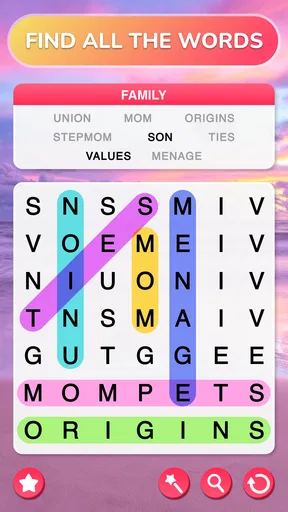
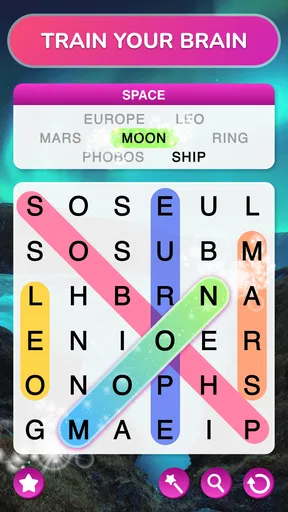
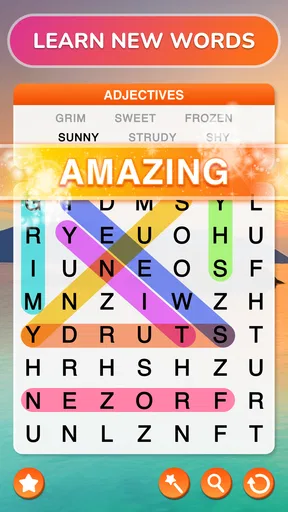
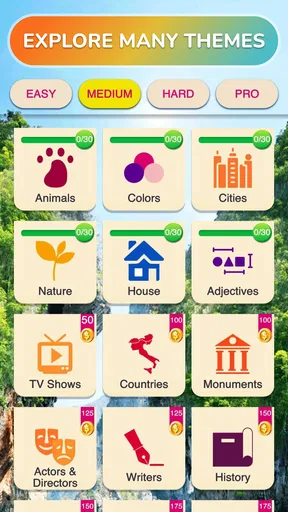
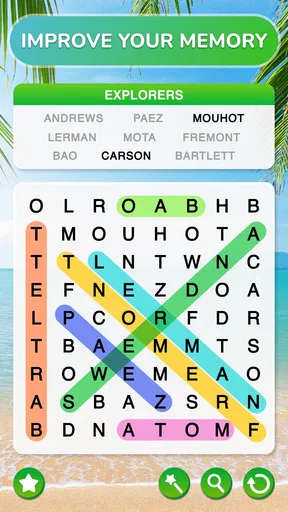
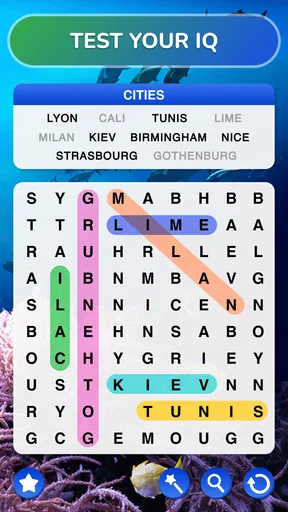
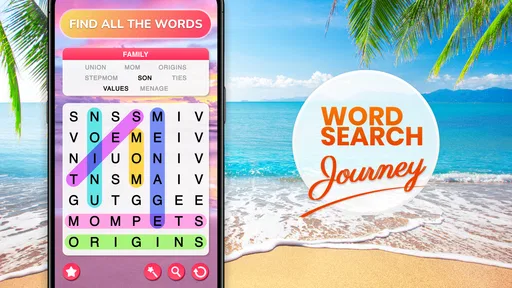
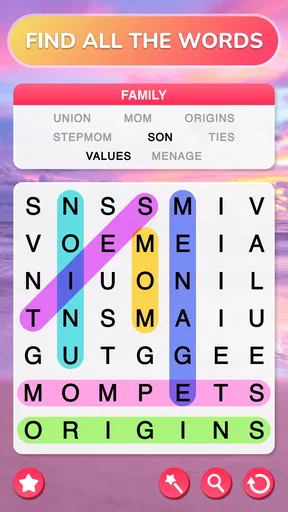
Our Review of Word Search - Word Puzzle Game
 Analysis by Appyee
I opened Word Search - Word Puzzle Game expecting a familiar word grid, and that is exactly where its appeal begins. You scan a field of letters, spot a hidden word, drag across it, and immediately see the puzzle respond. The action is simple enough for a short break, but the search itself creates just enough tension to make me want to continue after finding one answer. Bluetile has kept the idea focused: this is a free word game for people who enjoy vocabulary, visual attention, and calm repetition more than complicated rules.
That simplicity matters. I did not need a tutorial-heavy introduction or a long explanation before playing. The first useful decision is simply where to look: across, down, diagonally, or in reverse. Once I find a target, the board confirms the choice and gives me a small sense of progress. Then the remaining letters become the new problem. The loop is easy to understand, but it is not completely mindless, especially when several possible letter paths look convincing.
The game is listed for Everyone, which fits the approachable design. It has also built a substantial audience, with more than 100 million installs and an average rating of 4.8 from roughly 766 thousand ratings. Those figures do not replace personal experience, but they do suggest that the straightforward format works for a wide range of players. I can see why: the game starts quickly, asks little from the player, and lets a single puzzle feel complete without requiring a long commitment.
How the word-search loop feels in real use
I find the word-search loop easiest to enjoy when I treat each grid as a focused little task, rather than a race through every visible letter. That approach makes it clearer whether I’m stuck because I’ve missed a path or simply need a moment away from the screen. Next, I’d look at the small setup and handling choices that can make those first sessions more comfortable.
The first action is scanning, not guessing
My first move in each puzzle is usually not to select a word. I scan for unusual letter combinations and then check the surrounding lines. Common words can hide in plain sight because the eye tends to skip over familiar patterns. I get better results by choosing a target word, locating its first letter, and testing every direction around it rather than sweeping randomly across the entire board.
That small change in approach makes the game feel more deliberate. Instead of treating the board as a picture, I treat it as a set of possible paths. When a word is short, I look for its least common letter first. When the target looks longer, I trace both ends from likely starting points. This is one of the more useful ways to play if the goal is to train attention rather than merely finish as quickly as possible.
The controls are most satisfying when my finger follows the word cleanly. A rushed swipe can make me doubt whether I began on the correct letter, while a careful drag gives the action a definite finish. I prefer playing with one hand during a commute or while waiting for an appointment, although a larger screen is more comfortable when the letters are tightly packed or my attention is divided.
Immediate feedback keeps the search moving
Every successful find changes the visual state of the board, and that response is the main beat of the experience. I search, select, receive confirmation, and return to the remaining clues. There is no need to wonder whether the game understood my gesture. That quick feedback prevents the quiet word-search format from becoming frustratingly vague.
The rhythm is especially effective when I find several words close together. One discovery reveals another useful area of the grid, and the board gradually becomes less intimidating. At other times, I get stuck because I am looking for a word in the direction I expect rather than the direction that is actually present. The game does not need elaborate action to create a challenge; the friction comes from attention, visual tracking, and the temptation to rush.
I also like that the feedback naturally exposes my mistakes. If a swipe does not produce the expected result, I know to slow down and inspect the line again. That makes the game more forgiving than a timed spelling challenge, where one error can feel costly. At the same time, players who want constant pressure may find this gentler response too relaxed. Its satisfaction comes from recognition, not from dramatic failure or competition.
Why one completed puzzle becomes a reward
Finishing a puzzle gives me a clean stopping point. The reward is not only the completion itself; it is the gradual transformation of a crowded grid into a solved one. At the start, every letter competes for attention. Near the end, the remaining possibilities are narrower, and the final discovery feels earned because I have already eliminated several false leads.
This structure makes the game useful in different situations. I can play for a few minutes when I want a mental reset, or stay longer when I am in the mood to improve my vocabulary and visual speed. It is also suitable for someone who dislikes games with complex inventories, character upgrades, or elaborate story systems. The reward arrives through recognition and completion, which keeps the focus on the word puzzle itself.
There is a subtle trade-off here. Because the reward is tied to solving grids rather than building a larger personal strategy, the experience may feel repetitive to players who need long-term progression with many changing mechanics. I would not choose it as my main game if I wanted narrative development or competitive rankings. I would choose it when I wanted a dependable mental exercise whose rules remain familiar from one session to the next.
Resetting after a solve is part of the appeal
Once I finish a puzzle, the urge to begin another comes from the reset. The previous grid has served its purpose, and a fresh arrangement gives me another chance to apply what I just learned. I may remember to search diagonals earlier, avoid overcommitting to the first possible pattern, or use rare letters as anchors. The game turns those small improvements into a reason to continue.
This reset also makes the app easy to fit around ordinary routines. I can stop after a completed puzzle instead of leaving a complicated mission unfinished. If I have more time, I can start again without needing to reconstruct a story or remember a sequence of objectives. That is valuable for short breaks, quiet evenings, and moments when I want something interactive but not emotionally demanding.
My practical advice is to decide your stopping point before beginning if you are prone to “just one more” sessions. The low-friction restart is a strength, but it can also make time disappear because there is no large barrier between completion and the next board. I found it more satisfying when I treated each puzzle as a small unit: scan carefully, finish the current search, then choose whether another round actually fits the moment.
Vocabulary practice without feeling like a lesson
The game’s word focus gives it a useful educational edge, although I would describe it as informal practice rather than a structured language course. I notice spelling patterns, become more alert to letter order, and sometimes recognize a word I would normally overlook. The search encourages me to examine words as shapes and sequences, not just as meanings.
For someone learning English, the benefit depends on the vocabulary selected by the individual puzzles. A player may encounter familiar terms, but the act of locating them still reinforces spelling and visual memory. It can work well alongside reading or a vocabulary app, especially for learners who prefer recognition tasks to flashcards. It is less suitable for anyone who needs definitions, pronunciation guidance, grammar explanations, or a carefully staged curriculum.
I would also recommend it to families looking for a simple shared activity, while keeping the Everyone rating in mind as a general indication of accessibility rather than a promise that every player will enjoy it. Younger players may need help with unfamiliar words, and adults can turn that moment into a quick vocabulary discussion. The game itself remains focused on finding, not teaching, so the extra learning comes from how you use each puzzle.
Where it sits beside other word games
Compared with crossword puzzles, this game asks less from general knowledge. I do not need to solve a clue, infer a definition, or produce an answer from memory. The target is already available; my task is to locate it. That makes the experience more accessible when I want language practice without the pressure of knowing obscure facts.
Compared with an anagram game, it is more visual and less dependent on rearranging letters. I am following paths through a grid rather than constructing words from a limited rack. Players who enjoy manipulating letter combinations may find a dedicated anagram title deeper, while players who like pattern recognition will probably feel more at home here.
Compared with a timed word challenge, the appeal is calmer. The tension comes from being stuck, not from a clock dominating every move. That is a genuine strength for relaxed play, but it is also the main reason a speed-focused player may prefer another category option. This game is best when the search itself is the activity, not merely a test before the next competitive round.
Small habits that make difficult grids easier
My most effective habit is to stop scanning every row from left to right. That method feels organized but often becomes automatic, causing me to miss diagonal or reversed words. I instead alternate orientation: horizontal first, then vertical, then diagonal. Changing the visual routine keeps my attention from settling into a blind pattern.
A second useful habit is to search from the word’s distinctive end. If one side contains an uncommon letter, I look for that letter before tracing the rest. This reduces wasted swipes and gives the eye a clearer anchor. It is particularly helpful when the grid contains many repeated vowels or common consonants.
When I am stuck, I do not immediately assume the puzzle is unfair. I revisit words I dismissed because their direction looked unnatural. I also check whether I am starting on the correct character and ending on the correct one. In a word-search game, the apparent difficulty often comes from a small visual assumption, and slowing down is usually more effective than tapping everywhere.
These techniques are not separate features; they are ways of getting more value from the central mechanic. They turn a casual search into a modest attention workout. They also reveal the game’s limitation: the depth comes from the player’s approach, not from a large collection of systems layered around the board.
What the free download means in practice
The game is free to download, which makes it easy to try without committing money at the start. In-app purchases are listed from $0.99 to $19.99 per item, so anyone who prefers a completely purchase-free experience should review the purchase prompts carefully and use the platform’s controls if needed. I would not treat the free entry point as a guarantee that every part of the experience will feel identical to a paid word-puzzle app.
That pricing structure is worth considering when comparing it with premium alternatives. A one-time paid puzzle game may be preferable if you want a more predictable, interruption-free relationship with the app. The free model is more attractive if you want to sample the format first, play occasionally, and decide later whether optional spending adds enough convenience or enjoyment for you.
Device compatibility is also reasonably broad: the current version is 4.5.1 and requires Android 7.0 or later. That makes it a practical option for people using older Android hardware, although the comfort of the experience still depends on screen size and touch accuracy. I would test it on the device you actually plan to use rather than judging the controls from a larger phone or tablet.
Who should play it, and who should skip it
I would recommend this word puzzle to casual players who want a clear activity for short sessions, to vocabulary-minded users who enjoy spotting spelling patterns, and to anyone who prefers calm concentration over rapid competition. It is also a good fit for people who like games that can be paused mentally at a natural endpoint. The developer, Bluetile, has kept the central idea recognizable, and that focus is a major part of its accessibility.
I would be more cautious about recommending it to players who need a strong story, deep progression, multiplayer interaction, or constant novelty. If you lose interest as soon as you understand a game’s basic rule, the repeating search-and-solve structure may not hold you for long. Likewise, if your main goal is formal language study, this should supplement a more complete learning tool rather than replace one.
For everyday use, I see it working best in a waiting room, during a quiet coffee break, or at home when I want to put down a more demanding game. A realistic session might begin with one grid while waiting for an appointment, continue because the last few words are close, and end after the board is complete. That sequence captures the design well: immediate action, clear feedback, a modest reward, and a fresh board waiting if I choose to reset.
My verdict on the complete loop
Word Search - Word Puzzle Game succeeds because its loop is honest. I look, select, receive confirmation, finish, and decide whether to start again. Nothing distracts from the pleasure of recognizing a hidden word, and the short reset makes the next session feel available without making it mandatory. For me, that is more valuable than a pile of extra systems that would only complicate a game built around observation.
The experience is not endlessly varied, and it will not satisfy players searching for a competitive or story-driven word game. The free-to-play structure may also matter to people who prefer a single upfront purchase. Still, for a free, approachable word title with a strong audience, broad Android compatibility, and a gentle focus on vocabulary and attention, it is easy to recommend.
My final recommendation is simple: choose it when you want a quiet, repeatable brain break rather than a demanding campaign. The best reason to return is not a dramatic reward system; it is the small satisfaction of seeing a difficult grid become readable through patience. That modest loop has kept me coming back, especially when I want to play for a few minutes and leave feeling that I used my attention well.
Privacy and Permissions
See what permissions an app requests and how it handles your data.
- Wi-Fi connection information
- view Wi-Fi connections
- Other
- view network connections, full network access, control vibration, prevent device from sleeping
Verdict
Strengths of Word Search - Word Puzzle Game
- Large word library keeps puzzles feeling fresh.
- Simple controls make it comfortable for casual players.
- Works well for short sessions during commutes or breaks.
- Helpful hints can prevent difficult puzzles from becoming frustrating.
- Suitable for improving spelling and visual word recognition.
Limitations of Word Search - Word Puzzle Game
- Some puzzles may feel repetitive after extended play.
- Hint systems can reduce the challenge for experienced players.
- Small text may be uncomfortable on compact phone screens.
- Progression can feel slow without frequent gameplay.
- Ads may interrupt the experience in the free version.
Other Releases by Bluetile
View All
Ball Sort Puz - Color Game
Puzzle4.8

Water Sort Puz - Color Game
Puzzle4.8

Dot Link - Connect the Dots
Puzzle4.8

Domino Legends: Classic Game
Board4.7
Similar Picks in This Category
View All
Word Search Quest - Puzzles
Blackout Lab4.8

CodyCross: Crossword Puzzles
Fanatee, Inc.4.7

Words of Wonders: Crossword
Fugo Games4.9

Wordscapes: Word puzzle game
PeopleFun4.7

Word Search Explorer
PlaySimple Games4.9

Hangman
Senior Games4.6
Frequently Asked Questions
What is Word Search - Word Puzzle Game?
Word Search - Word Puzzle Game is a casual puzzle app centered on finding hidden words inside letter grids. After opening a level, you scan rows, columns, and diagonals to locate the listed words, then swipe across each one to mark it. The game is easy to understand, making it suitable for quick sessions, relaxing play, and users who enjoy vocabulary-based challenges.
How do you play Word Search - Word Puzzle Game?
Each puzzle presents a grid filled with letters and a word list showing the terms you need to find. Words may appear horizontally, vertically, diagonally, or in reverse, depending on the level. To select one, press and drag across its letters. Correct answers are highlighted automatically, while the remaining list helps you track your progress.
Does Word Search - Word Puzzle Game work offline?
Many word-search levels can generally be played without a continuous internet connection once the required game content has loaded. Offline access is useful when traveling or when you want to play without using mobile data. However, advertisements, daily challenges, cloud synchronization, updates, and certain online features may require an active connection.
Is Word Search - Word Puzzle Game free to download and play?
The app is typically available as a free download, allowing users to access its core word-search gameplay without paying upfront. Free versions may be supported by advertisements and can include optional in-app purchases, such as removing ads, obtaining hints, or unlocking additional content. Check the store listing for the current pricing and purchase details.
Is Word Search - Word Puzzle Game suitable for children and beginners?
Yes, the straightforward controls and familiar word-search format make the game approachable for beginners and many younger players. It can also provide a light vocabulary and concentration exercise. Nevertheless, difficulty, vocabulary, advertisements, and in-app purchase options can vary, so parents should review the app’s age rating and settings before allowing children to play.
Play our best games!


